Rotate a Key in Three Steps — the AI-Safe Ceremony for Webflow Teams
For: teams running a Webflow site paired with a Shopify store, who need credential hygiene an auditor will accept — and who work with AI agents that must never touch key material.
2.17.1 The uncomfortable fact first
Neither Webflow nor Shopify rotates keys.
- A Webflow API/site token is one static bearer secret. There are no key generations, no overlap window, no "old and new valid side by side." Replacing it means: mint a new token, paste it into every place the old one lived, and hope you found them all. That is a flag day.
- A Shopify admin token is the same shape — a custom app's
shpat_token is singular and static; OAuth's access tokens can expire and refresh, but the client secret underneath is still one secret that swaps whole. Revoking a compromised token is not a rotation; it is a breakage you then race to repair.
The consequence is structural: if platform tokens are your authority model, you cannot rotate without downtime, and you cannot eject one holder without re-keying everyone — the possession-is-membership trap. Whoever holds the token is the store; sharing it with a teammate, a contractor, or an AI agent multiplies copies of something that cannot be individually revoked.
2.17.2 The move: rotation happens where rotation exists
You cannot add rotation to Webflow or Shopify. You can stop asking their tokens to carry authority. Split the job in two:
Platform tokens become plumbing. Exactly one Webflow token and one Shopify token, held server-side (worker secrets / tenant config), scoped to the site and store, never in a browser, never handed to a person or an agent. When one must change, it is a small, contained ceremony — only the server feels it.
People, agents, and permissions ride entitlement tokens instead — minted by the paired Google / Shopify login: PKCE proves the human at the door with no client secret to steal; the actor's identity travels sealed (JWE, readable only server-side); roles and purchases mint scoped capabilities against one platform identity. These tokens are signed with keys that do rotate properly:
- Mint the new key. A new generation gets its own name (
kid). The old one isn't touched. - Publish both public halves side by side. Everything already signed keeps verifying; everything new signs under the new key. There is no flag day — nothing breaks, nobody re-issues history.
- Retire the old key on schedule. After its
not_afterit stops verifying. And because each credential is individually revocable (jti), a leaked one dies alone — nobody else is disturbed.
Now permission changes are entitlement operations — grant or revoke a person's or agent's capabilities in real time, per subject — and rotation is a signing-plane operation with named generations. The two static platform tokens sit behind the edge, doing plumbing, holding no one's identity.
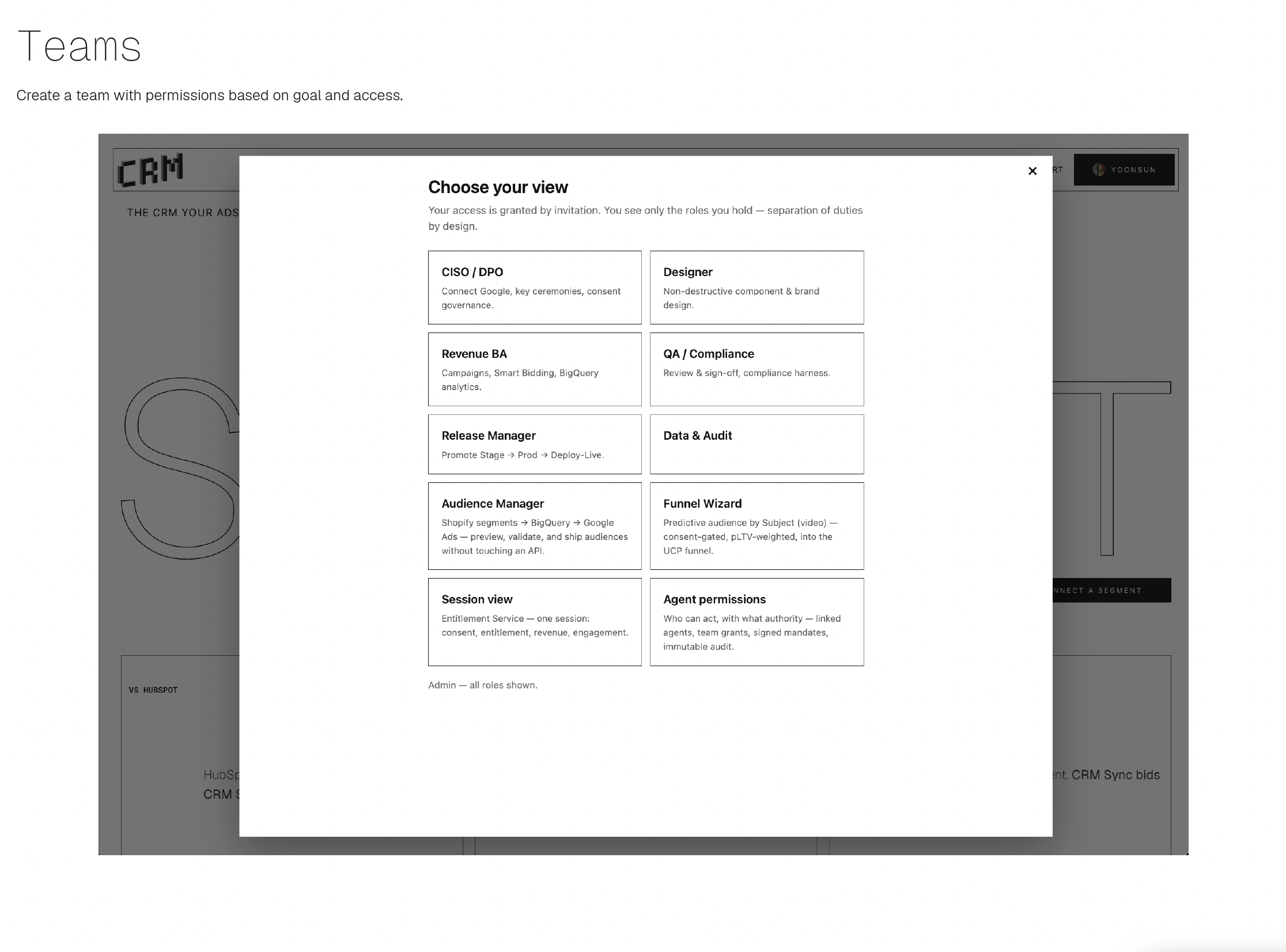 Teams means separation of duties: the CISO/DPO runs ceremonies; designers and revenue roles never see a key and never feel a rotation.
2.17.3 The AI-safe ceremony
The rule that makes this safe to run alongside AI agents: the human holds the key for the three seconds it exists in the open; the AI never does.
- The human types the interactive command —
npx wrangler secret put SECRET_NAME— which prompts for the value. Pasted at the prompt, the secret never lands in shell history, logs, a chat transcript, or an agent's context window. - The agent does everything around it: prepares the steps, generates the value spec, verifies afterward by fingerprint (a hash of the secret, never the secret), runs the behavioral checks, and files the audit record — who rotated what, when, verified how.
- Separation of duties applies to the machines too: an agent that can verify a rotation is not an agent that can perform one.
2.17.4 Prove it worked — in the browser
After a rotation, take any token signed before it and paste it at crm-sync.dev/verify — it still verifies, under the retired key's name, until that key's not_after. That is the "no flag day" claim made watchable. (No token of your own? The page mints a live sample, and the "How does this work?" button explains the whole thing in three steps — no cryptography degree needed.)
Companion reading: Key Management Lifecycle · Two Ways to Give an Agent a Key · Shopify Expiring Token Management · Verify It Yourself — the IT Sheet.